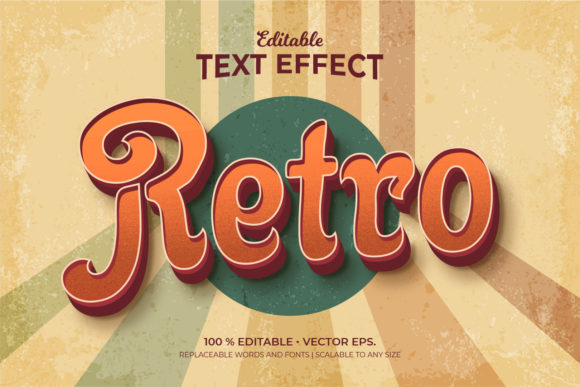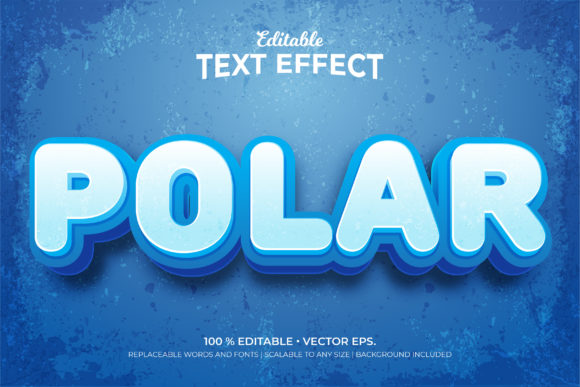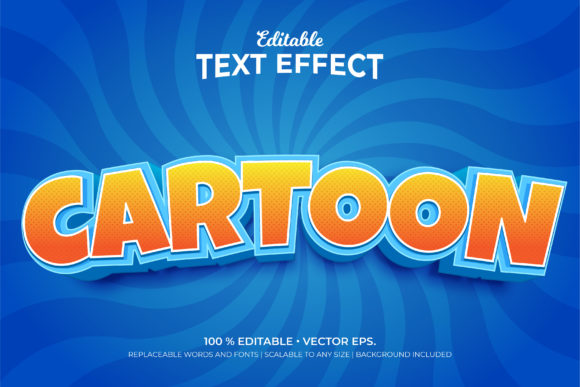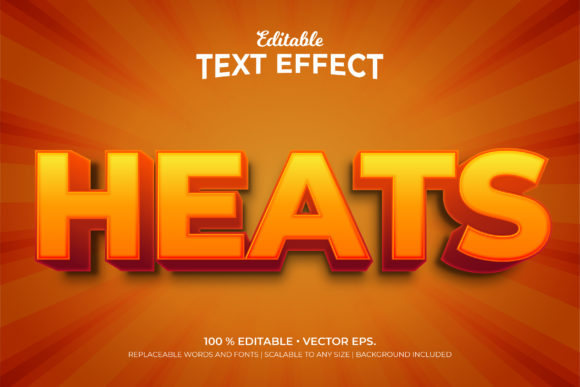
Evaluating Rose 3d Style Editable Text Effects for Graphic Design Projects
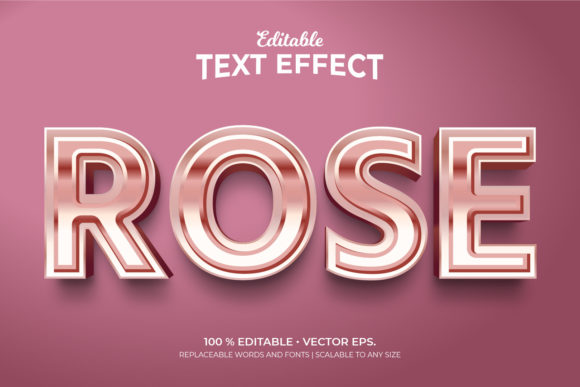
In the competitive landscape of graphic design, typography is rarely just about legibility; it is a primary vehicle for brand identity and emotional resonance. When designers seek to elevate standard text into a visual centerpiece, they often turn to specialized templates that offer depth, dimension, and polish. One such resource gaining traction among digital creators is the Rose 3d Style Editable Text Effects template. This asset provides a sophisticated solution for integrating volumetric, rose-themed typography into various design contexts, ranging from social media graphics to high-end marketing materials.
Understanding whether this specific template aligns with your workflow requires looking beyond its aesthetic appeal. It is essential to evaluate its technical specifications, flexibility, and practical application within professional design software. By examining the features, file formats, and potential use cases, designers can make informed decisions about incorporating this tool into their project arsenal.
Core Features and Technical Specifications
The primary value proposition of the Rose 3d Style Editable Text Effects lies in its balance between pre-designed complexity and user customization. Unlike static images where every pixel is fixed, this template is built on vector principles, ensuring that the text remains crisp regardless of scale. The template is delivered in multiple formats to accommodate different software environments, primarily focusing on Adobe Illustrator compatibility.
Key technical attributes include:
- Vector Format (EPS & AI): The inclusion of Vector EPS CC and Ai format files ensures that the text effects are resolution-independent. This allows designers to scale the typography up for large-format printing or down for mobile interfaces without losing quality.
- Adobe Illustrator Compatibility: Designed specifically for CC 1920 x 1080 pt RGB color profiles, the template integrates seamlessly into the Adobe Creative Cloud ecosystem. This is crucial for professionals who rely on non-destructive editing workflows.
- Font Flexibility: While the preview utilizes "Hind Bold," the template is fully editable regarding fonts. Users can replace the default typeface with any font installed in their system, allowing for complete brand alignment.
- Color Customization: The rose theme does not restrict users to pink hues. Because the elements are vector-based, colors can be altered entirely, enabling the same 3D structure to be used in blue, gold, or monochrome palettes depending on the project requirements.
Why Designers Consider Rose 3D Typography
The decision to incorporate 3D text effects often stems from the need to create visual hierarchy and interest. Flat design has been dominant for years, but there is a growing trend toward tactile, dimensional aesthetics that mimic physical materials. The Rose 3d Style Editable Text Effects template addresses this by providing a ready-made 3D structure that would otherwise require hours of manual extrusion, shading, and lighting adjustments in a vector program.
For small business owners and freelance designers, time efficiency is paramount. Creating custom 3D typography from scratch involves complex layering and gradient mesh techniques. Using a pre-built template reduces production time significantly, allowing the designer to focus on layout, composition, and messaging rather than the mechanics of rendering text volume.
Benefits and Practical Applications
One of the most significant advantages of this template is its versatility across industries. Although the name suggests a romantic or floral theme due to the "Rose" descriptor, the underlying 3D style is adaptable. The template is suitable for any business looking to add a touch of elegance or modernity to their designs.
Suitable Use Cases
- Event Marketing: Weddings, anniversaries, and Valentine’s Day campaigns benefit directly from the rose motif. However, the same 3D effect can be repurposed for luxury product launches where a premium feel is desired.
- Social Media Content: With a standard resolution of 1920 x 1080 pixels, the template is optimized for digital screens. It serves as an excellent base for Instagram posts, Facebook banners, or YouTube thumbnails where bold, readable text is critical.
- Brand Identity Elements: Businesses can use the template to create consistent logo treatments or header graphics. The ability to change fonts and colors means the core 3D structure can become part of a broader brand system.
Furthermore, the inclusion of a background in some variations provides a complete compositional unit. For beginners or those working under tight deadlines, having a pre-composed background eliminates the guesswork involved in color theory and contrast balancing.
Tradeoffs and Considerations
While the benefits are clear, potential users should consider certain limitations before purchasing or downloading the asset. The primary tradeoff lies in originality. Since templates are available to many users, there is a risk that the final design may look similar to others using the same resource. To mitigate this, designers must invest effort in customizing fonts, colors, and surrounding graphical elements to ensure the output feels unique.
Additionally, while the template is described as "easy to use," it still requires proficiency in Adobe Illustrator. Users unfamiliar with vector editing, such as unlocking layers, changing swatches, or expanding appearances, may find the learning curve steep. It is not a drag-and-drop solution compatible with basic photo editors like Canva or Photoshop without conversion steps.
Another consideration is the file size and complexity. High-quality vector files with intricate 3D shading can be heavy on system resources. Older computers or less powerful laptops may experience lag when manipulating these files, which can impact workflow efficiency.
When to Choose Alternatives
There are scenarios where the Rose 3d Style Editable Text Effects template may not be the optimal choice. If a project demands a highly organic, hand-drawn, or irregular typographic style, a rigid 3D vector template might feel too uniform or artificial. In such cases, exploring brush tools in Illustrator or utilizing raster-based texture overlays might yield better results.
Similarly, if the budget is extremely limited and the project does not require print-ready vector quality, free PSD (Photoshop) templates with smart objects might suffice. These alternatives often have lower barriers to entry for users who do not own Adobe Illustrator. However, they lack the scalability and crispness of vector EPS files, making them less suitable for large-scale printing.
Decision-Making Insights
To determine if this template fits your needs, ask yourself three questions:
- Do you use Adobe Illustrator? If yes, the AI/EPS format offers maximum flexibility. If no, verify if the vendor provides a Photoshop-compatible version or if you are willing to convert the vectors.
- Is scalability important? If you plan to use the text on billboards or large banners, the vector nature of this template is a decisive advantage over raster-based options.
- Do you need rapid customization? If you frequently update content, the editable text fields and replaceable fonts will save significant time compared to recreating effects from scratch.
In conclusion, the Rose 3d Style Editable Text Effects template is a robust tool for designers seeking to add dimensional depth to their typography without starting from zero. Its strength lies in its vector foundation, ease of customization, and professional finish. While it requires specific software knowledge and careful customization to avoid generic appearances, it offers a high return on investment for projects requiring polished, scalable, and visually striking text elements.