Mastering the Art of Digital Crafting: A Complete Guide to Using 3D Tulip SVG Files
In the vibrant world of digital crafting, few symbols evoke the freshness of spring quite like the tulip. Whether you are looking to add a touch of elegance to a greeting card, design a personalized tote bag, or create intricate wall art, the 3D Tulip SVG has become a staple resource for hobbyists and professional designers alike. But what exactly makes this specific file type so valuable? How do you use it across different software platforms? And why is having access to multiple formats—such as SVG, DXF, PNG, and EPS—crucial for your creative workflow?
This article explores everything you need to know about utilizing 3D Tulip SVG files. We will break down the technical aspects, explain compatibility with popular cutting machines, and provide practical tips to help you get the best results from your designs.
What Is an SVG File and Why Does It Matter?
Before diving into the specifics of the tulip design, it is essential to understand the foundation of digital crafting: the SVG (Scalable Vector Graphics) format. Unlike standard image files like JPEGs or GIFs, which are made up of pixels, SVG files are vector-based. This means they are constructed using mathematical equations that define lines, curves, and shapes.
Why is this important? The primary advantage of vector graphics is scalability. You can resize an SVG file from the size of a postage stamp to the size of a billboard without losing any quality. There is no pixelation, blurriness, or loss of detail. For crafters using machines like Cricut or Silhouette, this precision is non-negotiable. These machines read the vector paths in the SVG file to tell the blade exactly where to cut, ensuring clean, sharp edges every time.
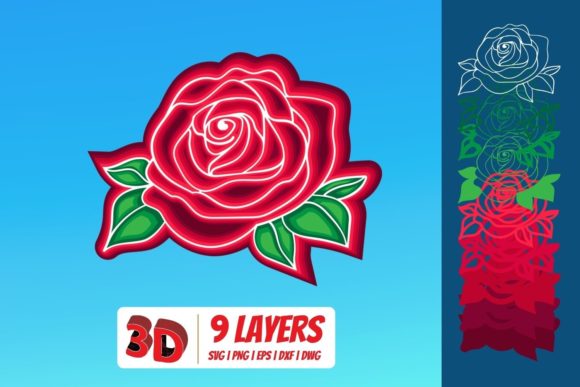
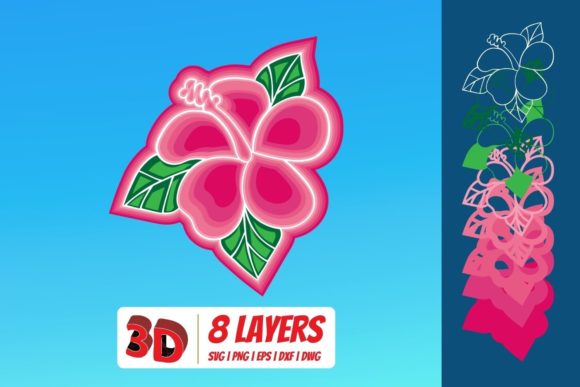
A 3D Tulip SVG takes this concept further by using layered vector paths to simulate depth. Instead of a flat, two-dimensional flower, the design includes overlapping elements that, when cut from different materials or stacked together, create a stunning three-dimensional effect.
Understanding the 3D Tulip Design
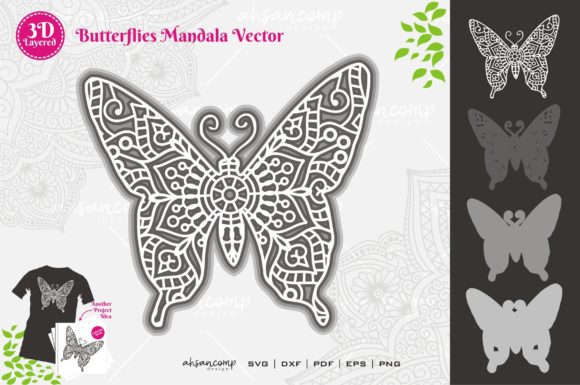
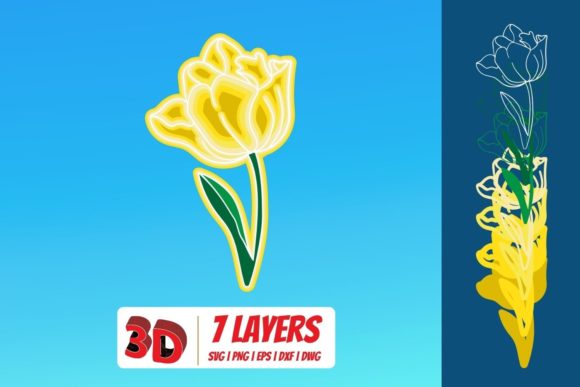
The "3D" aspect of these tulip files refers to the layering technique used in the digital design. While a standard tulip SVG might be a single silhouette, a 3D version typically consists of multiple layers representing the petals, leaves, and stem. Each layer is slightly offset or scaled differently to mimic natural growth patterns and shadows.
This design approach offers incredible versatility:
- Layered Card Stock: By cutting each layer from white or cream cardstock and stacking them, you create a delicate, paper-craft sculpture.
- Mixed Media: Use one layer for vinyl decals on glass and another for fabric appliqué on a quilt.
- Single Material Depth: Even if you use only one color of material, the overlapping layers cast subtle shadows that give the final product a rich, textured appearance.
When you purchase or download a 3D Tulip SVG Download, you are not just getting a picture; you are acquiring a blueprint for a multi-dimensional project.
File Formats Explained: SVG, DXF, PNG, and EPS
One of the most significant advantages of high-quality digital craft resources is the inclusion of multiple file formats in a single zipped folder. This ensures that regardless of your software or hardware, you have the right tool for the job. Here is a breakdown of the four key formats included in our 3D Tulip collection:
1. SVG (Scalable Vector Graphics)
The SVG is the gold standard for modern cutting machines. It is the most versatile format and is compatible with almost all contemporary design software. If you own a Cricut or Silhouette machine, this is your go-to file.
2. DXF (Drawing Exchange Format)
DXF is an older but widely supported vector format. It is particularly useful for users who rely on Silhouette Basic Edition. While newer versions of Silhouette Studio support SVG natively, many legacy systems or basic software packages still require DXF files to import vector designs accurately. Including this format ensures accessibility for beginners who may not have upgraded their software yet.
3. PNG (Portable Network Graphics)
While SVG and DXF are for cutting, PNG is for viewing and printing. A 300 DPI PNG with a transparent background serves as a high-resolution reference image. This is perfect for:
- Printing a template to trace manually if you don’t have a cutting machine.
- Using as a watermark or preview image on websites.
- Adding the tulip graphic directly to a document via word processing software, though it cannot be cut by a machine.
Note that because PNG is raster-based (pixelated), it does not scale well. Do not attempt to enlarge a PNG file for cutting, as the edges will become jagged.
4. EPS (Encapsulated PostScript)
EPS is a professional-grade vector format primarily used in the graphic design industry. It is fully compatible with CorelDraw, Inkscape, and Adobe Illustrator. If you are a graphic designer looking to incorporate the 3D tulip into a larger logo, brochure, or marketing campaign, the EPS file provides the highest level of editability and integration with professional design suites.
Software Compatibility: Where Can You Use Your Files?
Having the right file is only half the battle; you also need the right software to open and prepare it for cutting. The beauty of the 3D Tulip SVG package lies in its broad compatibility. Below is a guide to matching your software with the appropriate file type.
Cricut Users
If you use a Cricut machine, you will primarily work within Cricut Design Space. Simply upload the SVG file. Design Space handles vector uploads seamlessly, allowing you to weld layers together if needed or keep them separate for complex coloring techniques.
Silhouette Users
Silhouette users have a slight split depending on their edition:
- Silhouette Designer Edition: You can open both SVG and DXF files directly. The Designer Edition offers robust tools for manipulating vector paths, making it easy to adjust the size of individual tulip layers.
- Silhouette Basic Edition: This free or entry-level version often lacks native SVG support. Therefore, you must use the DXF file included in the download. Open the DXF in Basic Edition, and you will be able to send the design to your machine for cutting.
Advanced Software Users
For those who prefer more control over their designs, several other platforms are supported:
- Make the Cut (MTC): A powerful plugin for various machines that supports SVG and DXF inputs.
- Sure Cuts A Lot (SCAL): Another popular third-party software that excels at handling SVG files, offering advanced features like automatic grouping and nesting.
- Brother ScanNCut “Canvas”: Brother’s software interface is user-friendly and supports SVG uploads, allowing ScanNCut users to easily bring the 3D tulip design into their workspace.
- Adobe Illustrator & CorelDraw: Professionals should use the EPS or SVG files. These programs allow for precise editing of anchor points, color changes, and integration with other vector assets.
- Inkscape: As a free, open-source alternative to Illustrator, Inkscape handles SVG and EPS files beautifully, making it an excellent choice for budget-conscious crafters.
Practical Applications: Bringing the 3D Tulip to Life
Now that you understand the technology, let’s explore how to apply it. The 3D Tulip is not just a static image; it is a project waiting to happen.
Seasonal Decorations
Spring is synonymous with renewal, and nothing says spring like tulips. Create a layered paper garland for your dining room table. Cut the tulip layers from pastel-colored cardstock, stack them with foam adhesive for extra dimension, and string them together. The transparency and crispness of the SVG ensure that even small details in the petal curves remain visible.
Personalized Gifts
Tulips are often associated with love and appreciation. Use the 3D design to create custom mugs or t-shirts. By cutting the layers from colored vinyl and applying them to a blank canvas, you create a tactile gift that stands out. The PNG file can be used to visualize the final look on a mockup before you commit to cutting expensive materials.
Wedding and Event Stationery
For weddings with a floral theme, the 3D Tulip SVG can be used to create elaborate invitations. Imagine a thick, textured invitation card where the tulip motif pops off the page due to the layered cut. The precision of the SVG format ensures that the delicate inner veins of the tulip petals are reproduced faithfully, adding a touch of luxury to your event stationery.
Common Misunderstandings and Tips for Success
Even experienced crafters sometimes run into issues with digital files. Here are a few common pitfalls to avoid:
- Assuming All SVGs Are Equal: Not all SVG files are created equal. Some contain unnecessary code or are too complex for certain machines. Always check the file structure in your software before cutting. If a design looks cluttered, simplify it by deleting unused layers.
- Ignoring Material Thickness: When creating a 3D effect, the thickness of your material matters. If you are using thick chipboard, the layers may not sit flush against each other. Consider using thinner materials like cardstock or vinyl for cleaner 3D stacking effects.
- Confusing PNG with Cuttable Files: Remember, you cannot cut a PNG file. If you try to load a PNG into Cricut Design Space, the software will treat it as an image, not a shape. You would need to use the "Trace" feature, which often results in poor cut quality. Always stick to SVG, DXF, or EPS for cutting projects.
Conclusion
The 3D Tulip SVG represents more than just a digital flower; it represents the intersection of creativity and technology. By providing access to multiple formats—SVG, DXF, PNG, and EPS—this resource ensures that every crafter, from beginners using Silhouette Basic Edition to professionals using Adobe Illustrator, can participate in the joy of digital crafting.
Whether you are designing for a business, decorating your home, or sharing handmade gifts with loved ones, understanding how to leverage these file types will elevate your projects. The transparency of the PNG allows for clear visualization, while the precision of the vector formats ensures that your 3D tulip remains sharp, beautiful, and true to its original design. Embrace the versatility of these files, experiment with different materials, and watch your creative vision bloom.